
QR Code How-To Guides
Each guide walks you through one specific QR code use case in a handful of steps. Watch the walkthrough, save the infographic to Pinterest, or download the printable PDF.
-
How to Make an Editable QR Code
Create a dynamic QR code with EZQR, print it, and update the destination URL anytime without reprinting.
-
How to Make a QR Code for a Poster
Paste your destination link into EZQR, download a vector (SVG) or high-resolution PNG, place it on your poster with a clear quiet zone, and test the scan before printing.
-
How to Make a QR Code for a PDF
Upload your PDF to Google Drive (or any public host), set sharing to Anyone with the link, then turn the share URL into a scannable QR code with EZQR.
-
How to Make a QR Code for a Google Doc
Set the Google Doc to Anyone with the link, copy the share URL, and turn it into a scannable QR code with EZQR - students, customers, or guests open the doc on their phone in one tap.
-
How to Make a QR Code for a Google Form
Turn any Google Form into a scannable QR code: copy the share link, paste it into EZQR, download the QR, and print or project it where people will scan.
-
How to Make a QR Code for a Facebook Page
Turn your Facebook page URL into a scannable QR code so customers can follow you in one tap from print, business cards, or storefront windows.
-
How to Set Up an Open House QR Code in 5 Minutes
Replace the open-house clipboard with a digital sign-in: build a Google Form, generate a dynamic QR code in EZQR, print it on a table tent, and repoint it for follow-up after the event.
-
How to Make a QR Code with Your Logo
Add your logo to the center of a QR code that still scans reliably. Open EZQR's custom QR code generator, drop your logo into the middle, download in print-ready resolution, and test on a real phone before printing.
-
How to Make a Colored QR Code That Still Scans
Match the QR code to your brand colors without breaking the scan. Pick a high-contrast color combination in EZQR's custom QR code generator, preview live, and test on real phones before printing.
-
How to Track Every Scan of Your QR Code
See every scan of your QR code - count, time, country, and device. Create a dynamic QR code in EZQR, share it anywhere, and watch the scan analytics roll in.
-
How to Change a QR Code After You Have Already Printed It
Already printed and the link needs to change? If it is a dynamic QR code, you can update the destination from your dashboard in seconds. If it is a static code, you have to reprint - but you can switch to a dynamic code now so it never happens again.
-
How to Add a QR Code to a Patient Take-Home Care Sheet
Link printed take-home instructions to a video walkthrough or up-to-date care guide. Generate a dynamic QR code in EZQR, drop it on the care sheet, and update the linked content as protocols evolve - without reprinting every patient handout in the supply closet.
-
How to Add a QR Code to a Classroom Handout
Link a printed worksheet, syllabus, or lab handout to a video, doc, quiz, or supplementary resource. Generate a QR code in EZQR, drop it onto the handout, and reuse the same printed materials across semesters by updating the linked resource without reprinting.
-
How to Make a QR Code Landing Page
Build and host a mobile landing page in EZQR, add your heading, buttons, and branding, then download the QR code that opens it - editable anytime, no website needed.
-
How to Set Up a Reusable Listing QR Code
Create a dynamic listing QR code with EZQR, print it on a yard sign rider, and repoint the same code at your next property when the current listing sells - no reprinting required.
-
How to Make a WiFi QR Code
Let guests join your WiFi by scanning - enter your network name and password, pick your encryption type, download the code, and print it. No more reading passwords aloud.
-
How to Make a Contact (vCard) QR Code
Turn your contact details into a QR code people scan to save you instantly - enter your name, phone, and email, download the code, and add it to business cards, email signatures, and badges.
-
How to Generate QR Codes in Bulk from a CSV
Turn a spreadsheet into hundreds of QR codes at once - upload a CSV, choose the column with your links, generate a code for every row, and download them all as a single ZIP.
-
How to Make a QR Code Menu for Your Restaurant
Put your menu behind a QR code for table tents and the front door, and update prices or specials from your dashboard without reprinting a single sign.
-
How to Make a QR Code for Instagram
Turn your Instagram profile, post, or reel into a scannable QR code you can print on business cards, packaging, and storefronts - one scan opens your profile and people follow in a tap.
-
How to Make a QR Code for LinkedIn
Turn your LinkedIn profile or company page into a scannable QR code you can print on business cards, badges, and networking handouts - one scan opens your profile and the connection is a tap away.
-
How to Make a QR Code for TikTok
Turn a TikTok profile or video link into a scannable QR code you can print on packaging, cards, posters, and storefront windows - one scan lands people straight on TikTok to watch and follow.
-
How to Make a QR Code for Spotify
Copy the share link for your Spotify artist, playlist, album, single, or podcast and turn it into a scannable QR code for posters, flyers, merch, and vinyl inserts - one scan and they are listening.
-
How to Make a QR Code for Google Maps
Copy the share link for your location, Google Business Profile, or review page in Google Maps and turn it into a scannable QR code for storefronts, signage, menus, and flyers - one scan and they have directions.
-
How to Make a QR Code for Google Docs
Set your Google Doc to Anyone with the link, copy the share URL, and turn it into a scannable QR code with EZQR so anyone can open the document on their phone - no typing, no emailed links.
-
How to Make an Apple Maps QR Code
Make a QR code that opens Apple Maps exactly how you want - a search, a pinned location, or turn-by-turn directions - on iPhone, iPad, and Mac. Static and free forever, no account.
-
How to Make a Bing Maps QR Code
Make a QR code that opens Bing Maps exactly how you want - a pin on your address, a keyword search, or a map centered on coordinates with a chosen zoom and view. Static and free forever, no account.
-
How to Make a FaceTime QR Code
Make a QR code that starts a FaceTime video or audio call to your number or Apple ID when scanned on an iPhone, iPad, or Mac - no typing, no saving a contact first. Static and free forever, no account.
-
How to Make an Email QR Code
Make a QR code that opens a ready-to-send email with the address, subject, and message already filled in - enter the details, download the code, and print it. Static and free forever, no account.
-
How to Make an SMS QR Code
Make a QR code that opens a ready-to-send text message with the number and message pre-filled - enter the details, download the code, and print it. Static and free forever, no account.
-
How to Make a Phone Number QR Code
Make a QR code that opens the dialer with your number ready to call - enter the number, download the code, and print it. Static and free forever, no account.
-
How to Make a Location QR Code
Make a QR code that opens a spot on the map - point it at an address or exact coordinates, download the code, and print it. Static and free forever, no account.
-
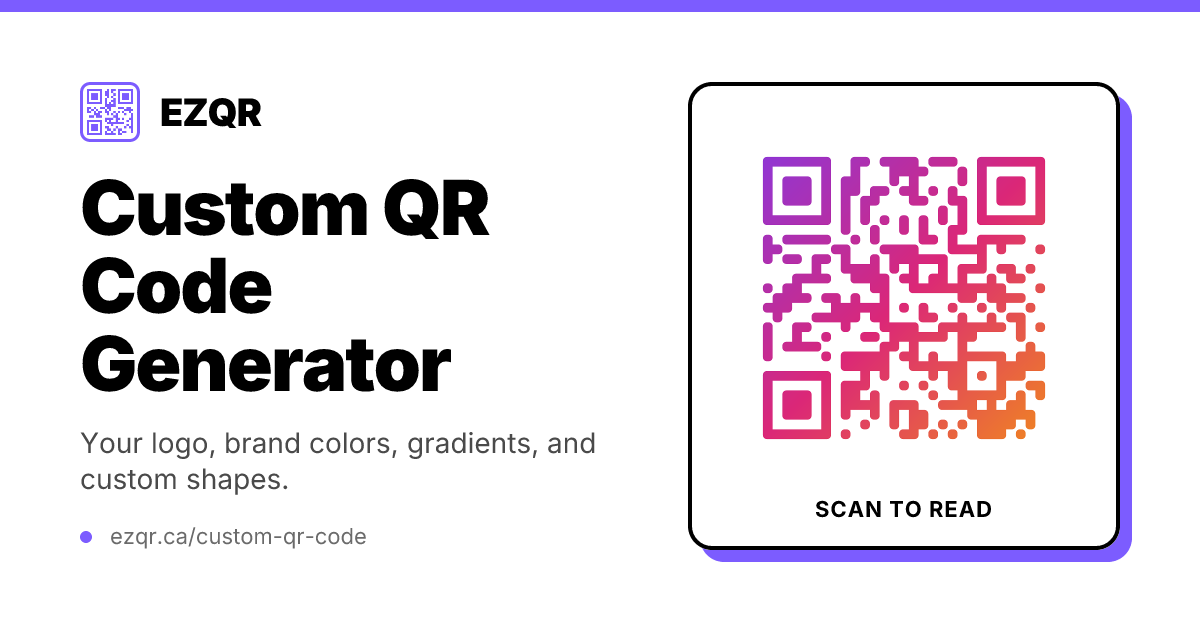
How to Make a Custom QR Code
Design a QR code with your logo, brand colors, custom shapes, and gradients in EZQR's free generator, then download it print-ready and test it before you print.
-
How to Make a Picture QR Code
Turn a photo or logo into a QR code that still scans - upload a picture, add your link, pick a style, and download it. Static and free forever, no account.
-
How to Make a Vector QR Code
Make a vector QR code that stays razor-sharp at any size - paste your link and download it as SVG or EPS, free with no watermark and no expiry.
-
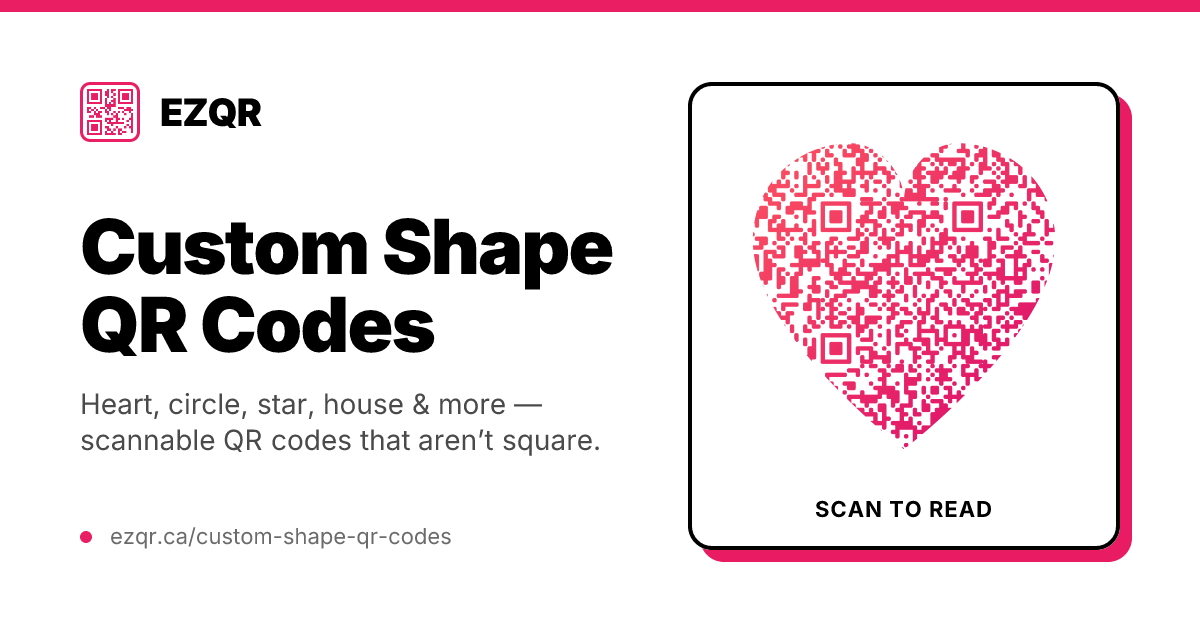
How to Make a Custom Shape QR Code
Make a QR code in a heart, circle, star, house, or maple-leaf shape - pick a shape, set your color, add your link, and download it. Static and free forever, no account.
-
How to Make a QR Code with Multiple Links
Point one QR code at a page that holds all your links - create a link page in EZQR, add your destinations, and download the code. Edit it anytime and see which links people tap.
-
How to Make a Branded QR Code Link
Choose how your dynamic QR code’s link reads - add a custom, branded label so your name is right there in the link. Set it in your dashboard and change it anytime.
-
How to Make a QR Code for Your Business
Put one QR code on your print and signage that sends customers to your website, booking page, reviews, or digital business card - create it in EZQR, print it, and track the scans.
-
How to Make a QR Code for Your Small Business
One QR code on your window or counter that opens your Google reviews, menu, socials, or contact details - create it in EZQR, place it where customers look, and update it anytime.
-
How to Make a QR Code for Event Registration
Put a QR code on posters, invites, and signage that sends guests to your registration page, schedule, or feedback form - create it in EZQR, repoint it as the event moves along, and track scans.
-
How to Make a QR Code for Your Wedding
Add a QR code to your invitations and signage that opens your wedding website, RSVP form, photo album, or registry - create it in EZQR and repoint it from RSVP to photos after the day.
-
How to Make a QR Code for Your Nonprofit
Put a QR code on your print and signage that opens your donation form, volunteer sign-up, or impact page - create it in EZQR, reuse it across campaigns, and track the scans.
-
How to Make a QR Code for Your Bar
Put your drink menu behind a QR code for tables, the bar, and the door - create a dynamic code in EZQR and update the tap list the moment a keg blows, no reprinting.
-
How to Make a QR Code for Your Gym
Put QR codes at the front desk, on class posters, and on equipment that open membership sign-up, class booking, and demo videos - create dynamic codes in EZQR and swap the offer each month.
-
How to Make a QR Code for Your Hotel
Put QR codes in rooms and at the front desk that open your in-room directory, guest WiFi, check-in, or room-service menu - create dynamic codes in EZQR and update them without reprinting.
-
How to Make a QR Code for a Tourism Attraction
Put QR codes on signs and printed guides that give visitors attraction info, self-guided audio tours, and maps - create dynamic codes in EZQR and update the content without reprinting.
-
How to Make a QR Code for Your Salon
Put QR codes at the desk, station mirror, and door that open online booking, your service and price menu, or reviews - create dynamic codes in EZQR and update prices without reprinting.
-
How to Make a QR Code for Your Retail Store
Put QR codes on shelves, displays, and windows that open product info, reviews, how-to videos, or loyalty sign-ups - create dynamic codes in EZQR and repoint them as stock and promos change.
-
How to Make a QR Code for a Marketing Campaign
Bridge print to online with QR codes on ads, packaging, and billboards that drive to landing pages and promos - create dynamic codes in EZQR, use one per placement, and compare the scans.
-
How to Make a QR Code for Your Music
Put a QR code on gig posters, stickers, merch, and record sleeves that sends fans to your streaming profile or latest release - create a dynamic code in EZQR and repoint it to each new drop.
Reference infographics
One-page references you can save, print, or pin - no steps, just the answer at a glance.
-
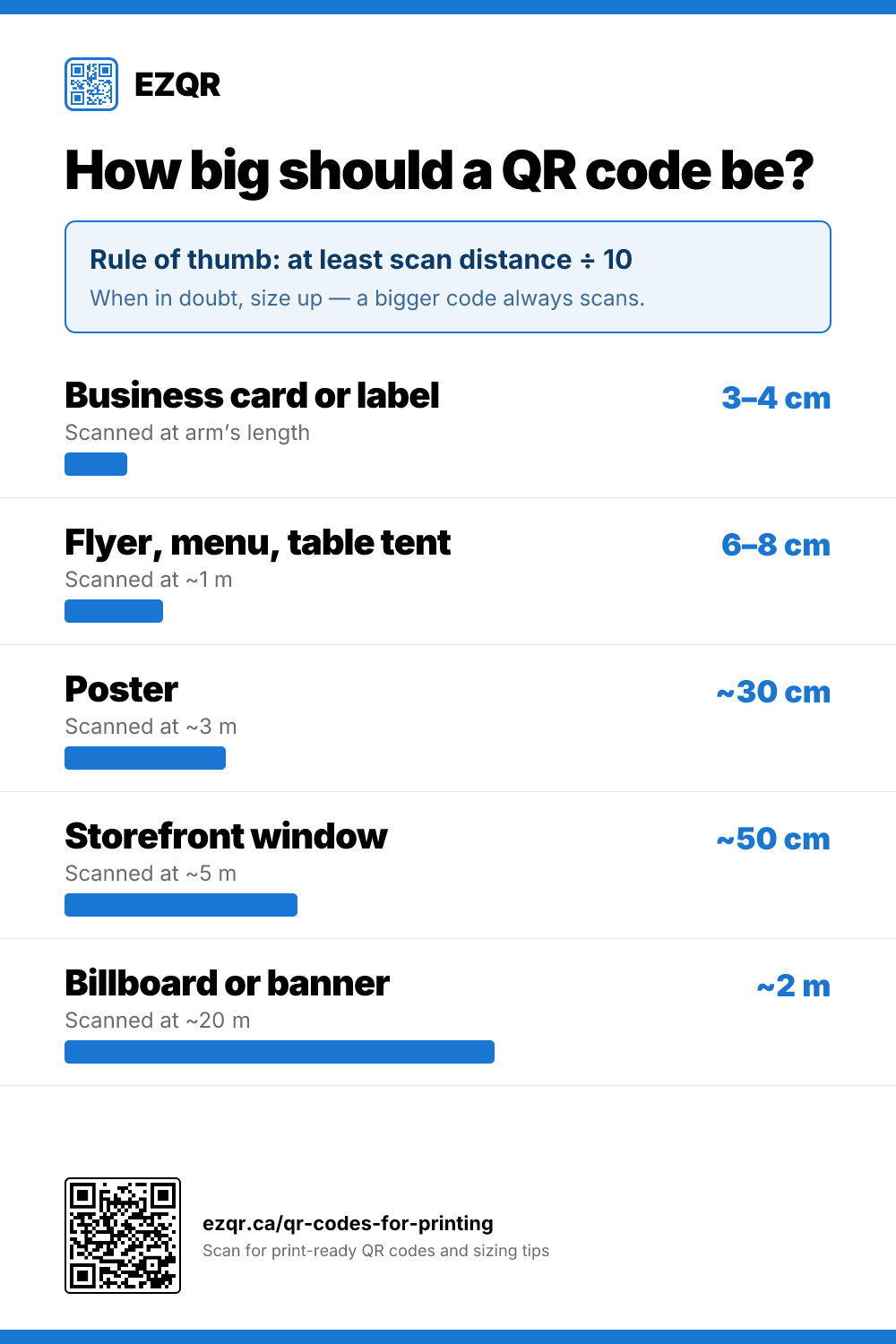
How Big Should a QR Code Be?
A quick sizing reference from business cards to billboards, based on how far away people scan from.
-
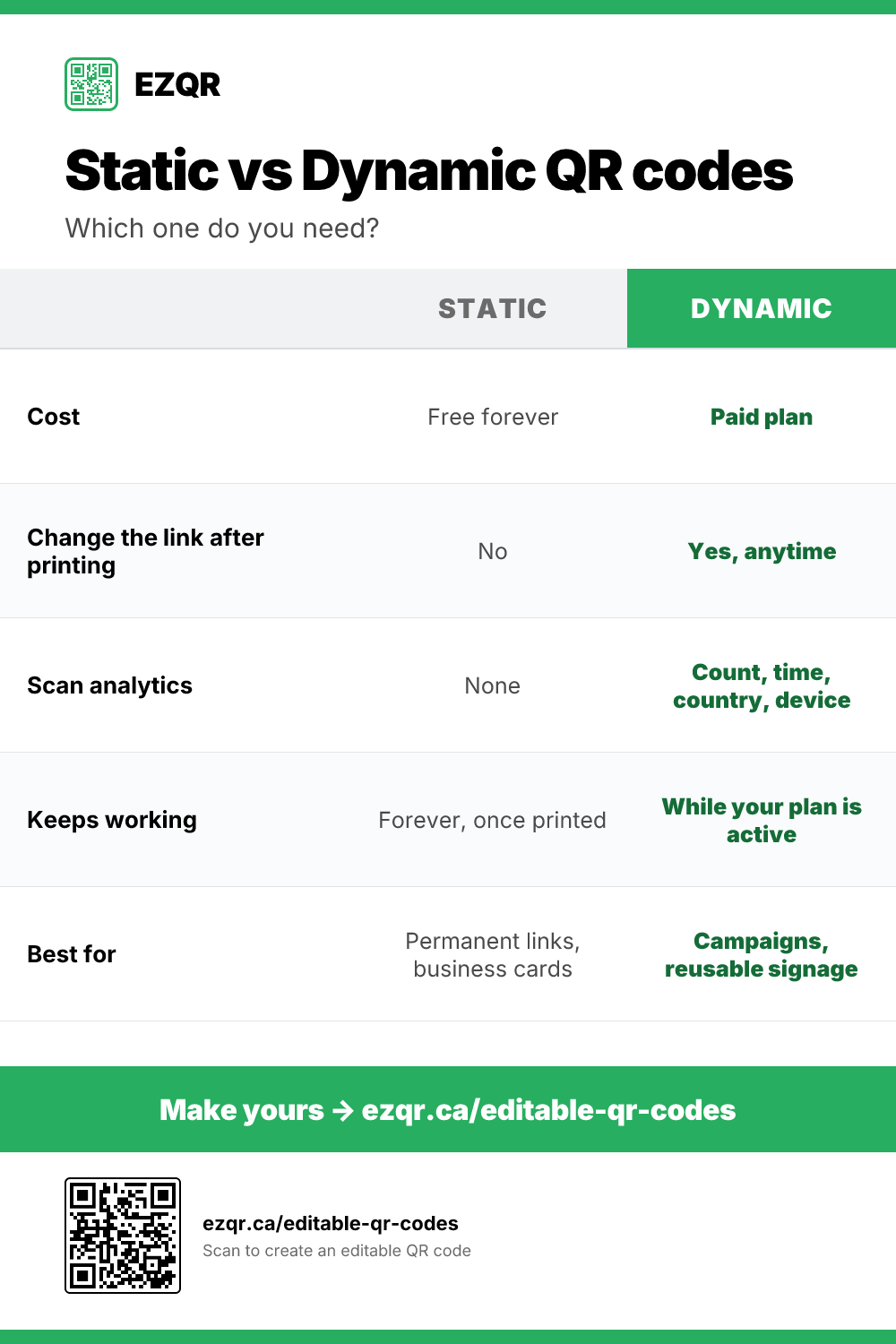
Static vs Dynamic QR Codes
A side-by-side comparison of cost, editability, analytics, and when to reach for each type.
-
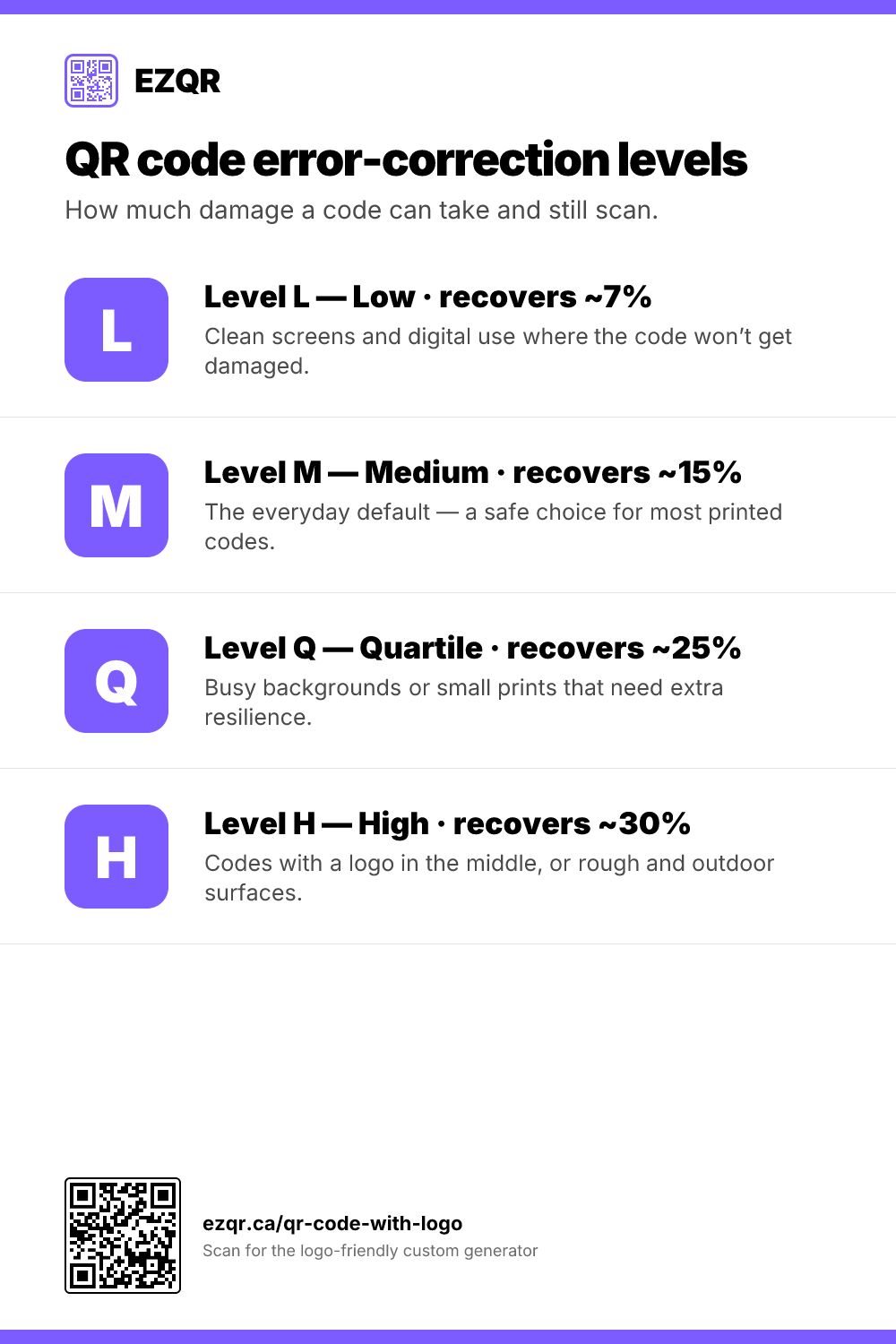
QR Code Error-Correction Levels
What L, M, Q, and H mean - how much damage each level recovers from, and when to use it.
-
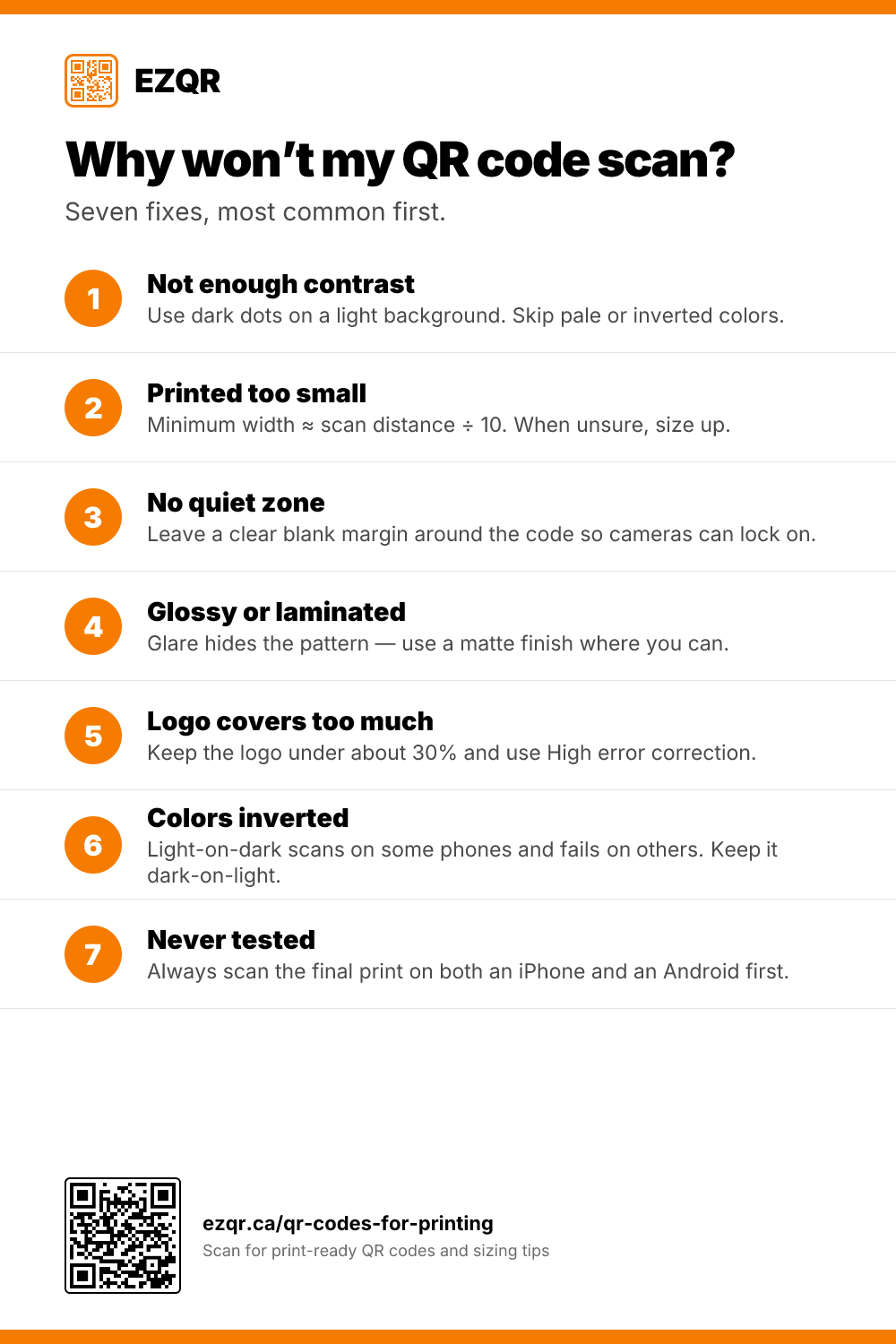
Why Won’t My QR Code Scan?
A troubleshooting checklist of the seven most common reasons a code fails, and the fix for each.
-
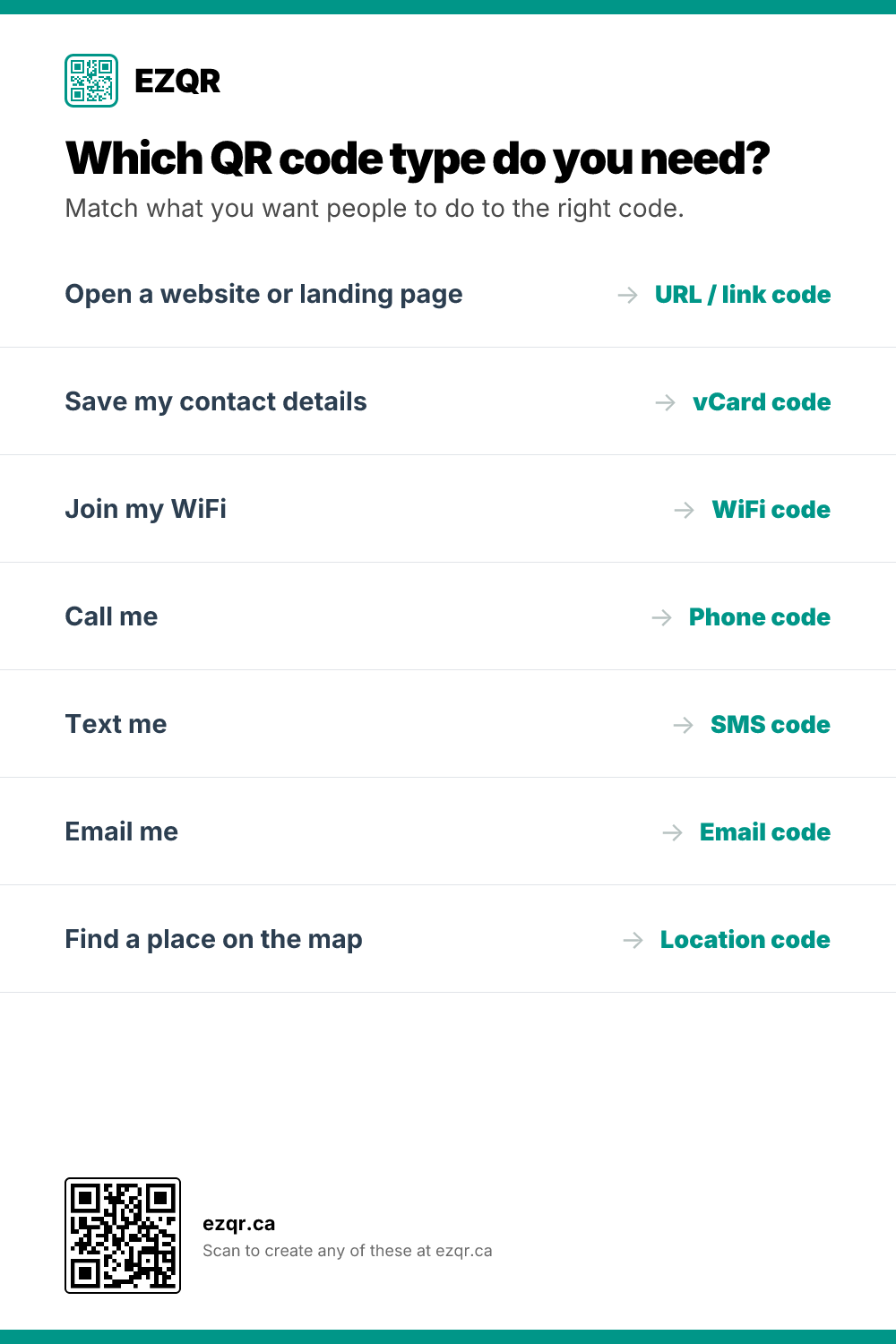
Which QR Code Type Do You Need?
Match what you want people to do - visit a link, save a contact, join WiFi, call, text - to the right code.
-
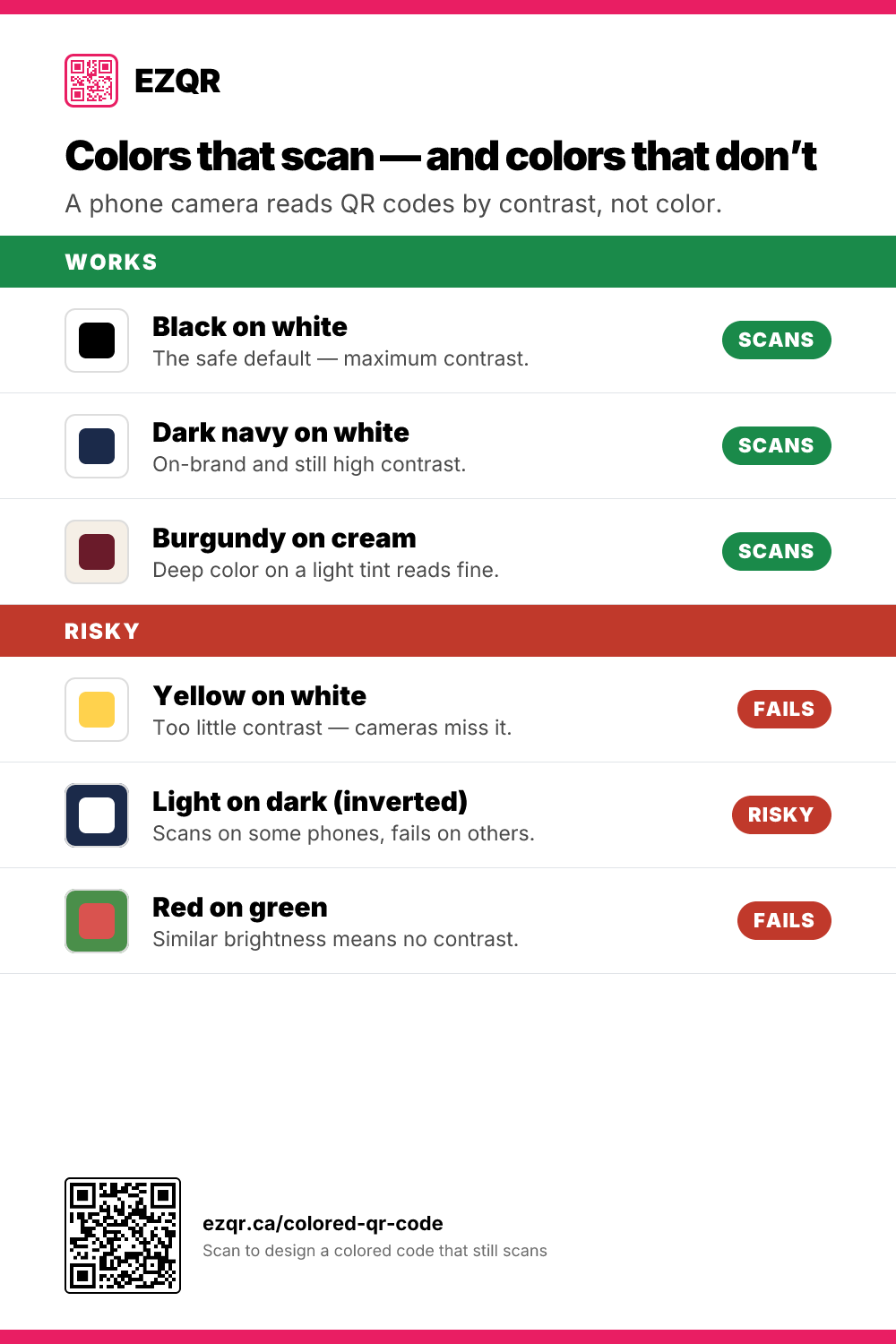
Colors That Scan (and Colors That Don’t)
Which foreground and background color combinations a phone camera can read, and which ones fail.
-
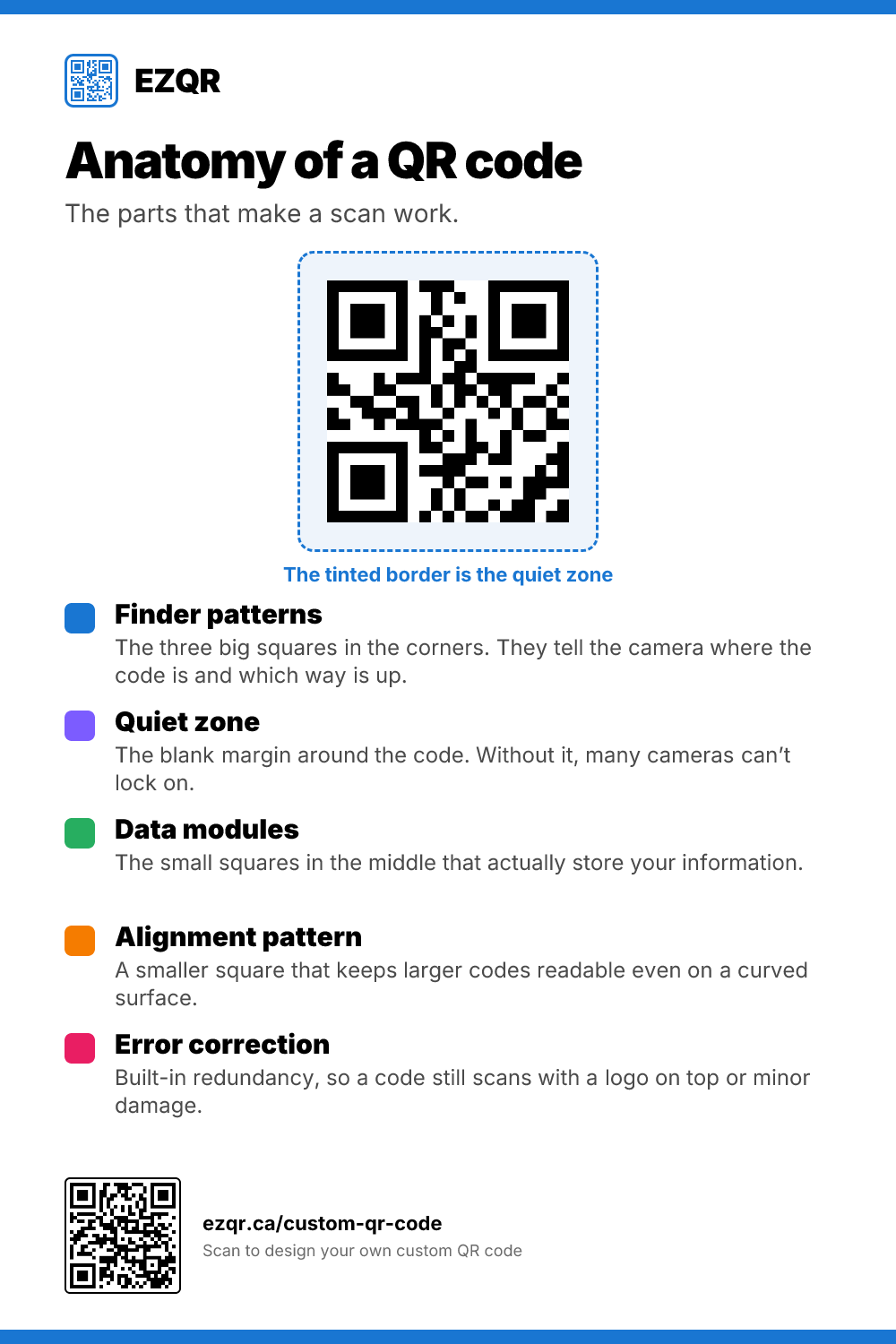
Anatomy of a QR Code
The parts of a QR code - finder patterns, quiet zone, data modules, alignment, error correction - explained.
-
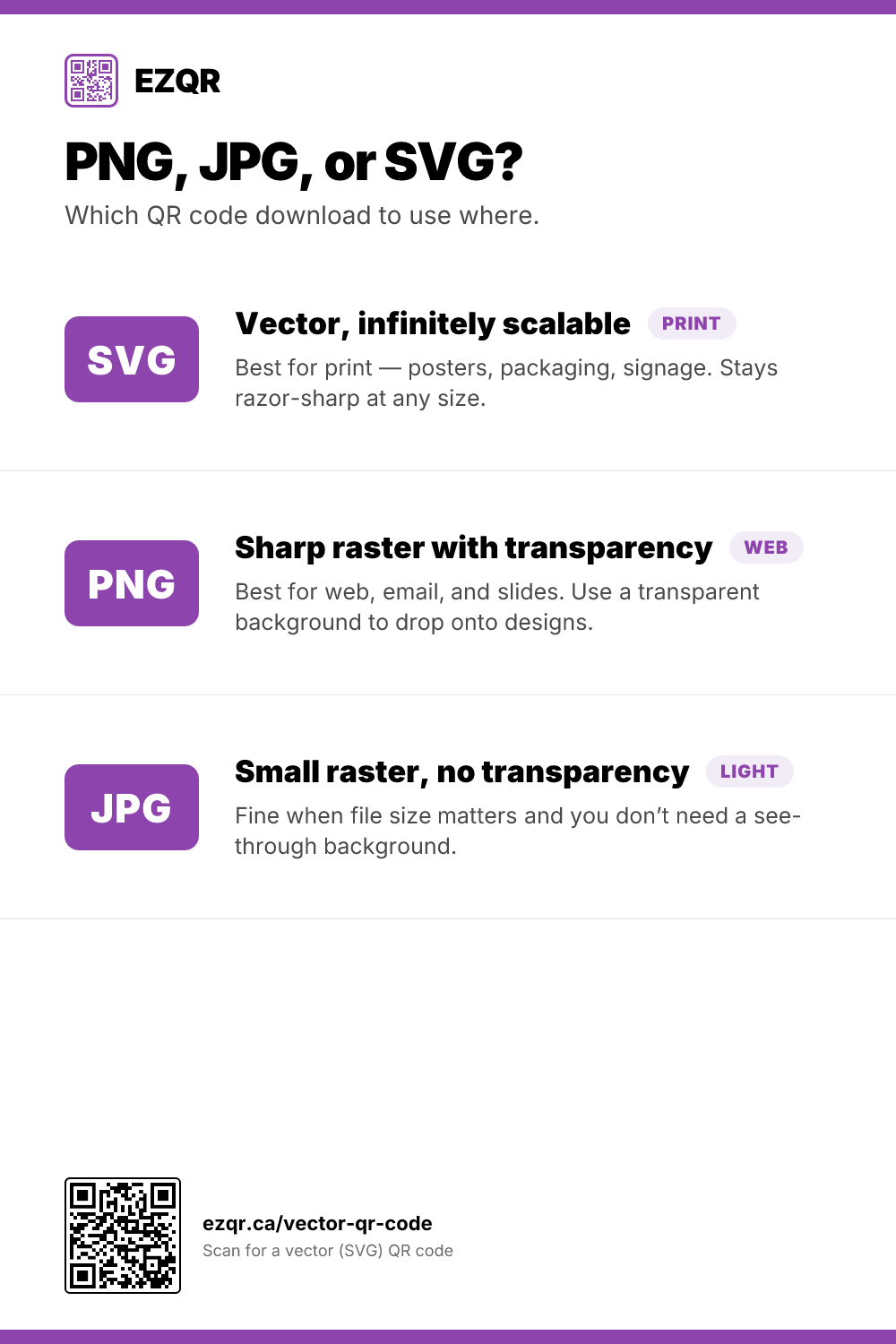
PNG, JPG, or SVG?
Which QR code download format to use for print, web, and email - and why SVG wins for large-format.
-
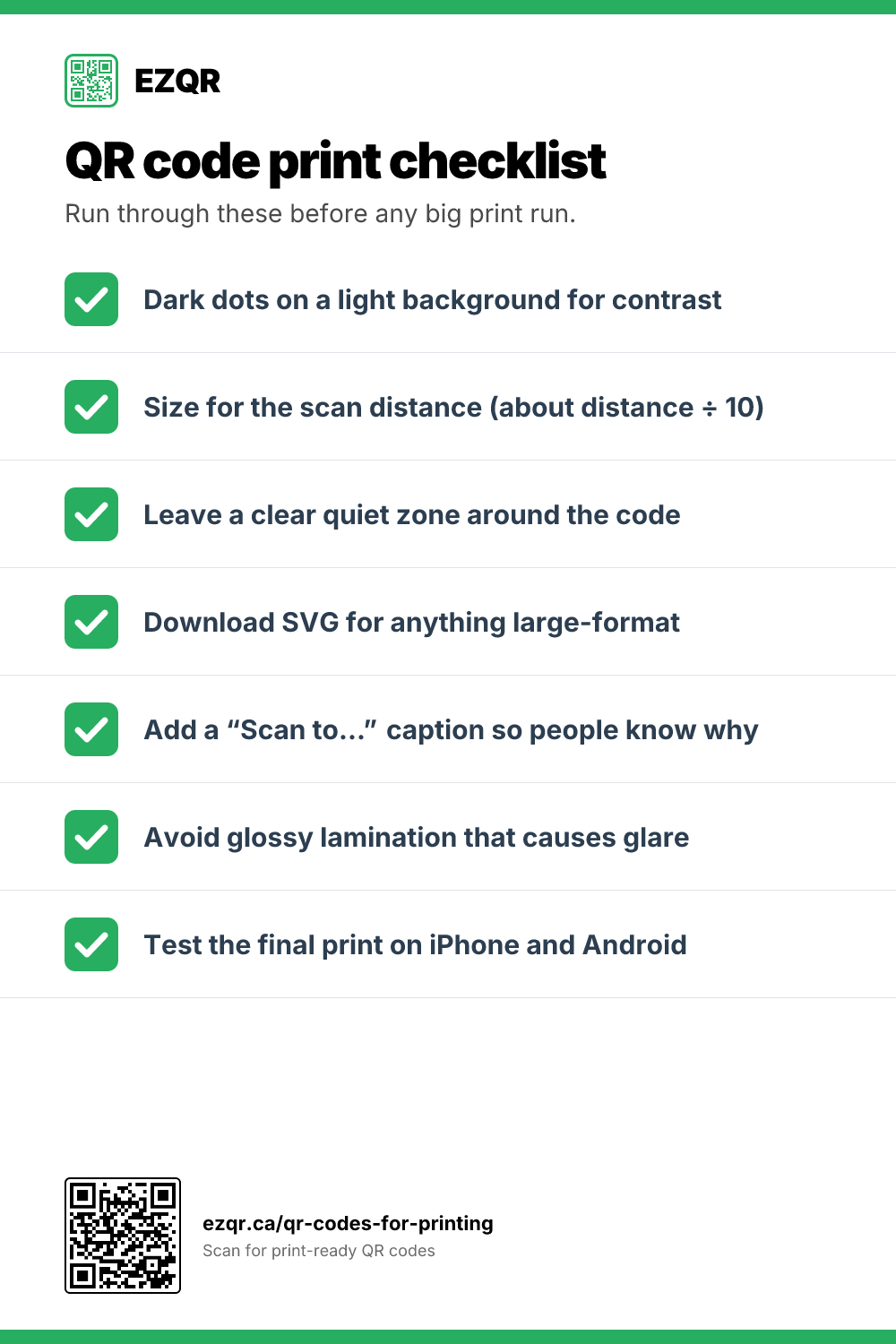
QR Code Print Checklist
Seven checks to run through before any big print run so your codes scan the first time.
-
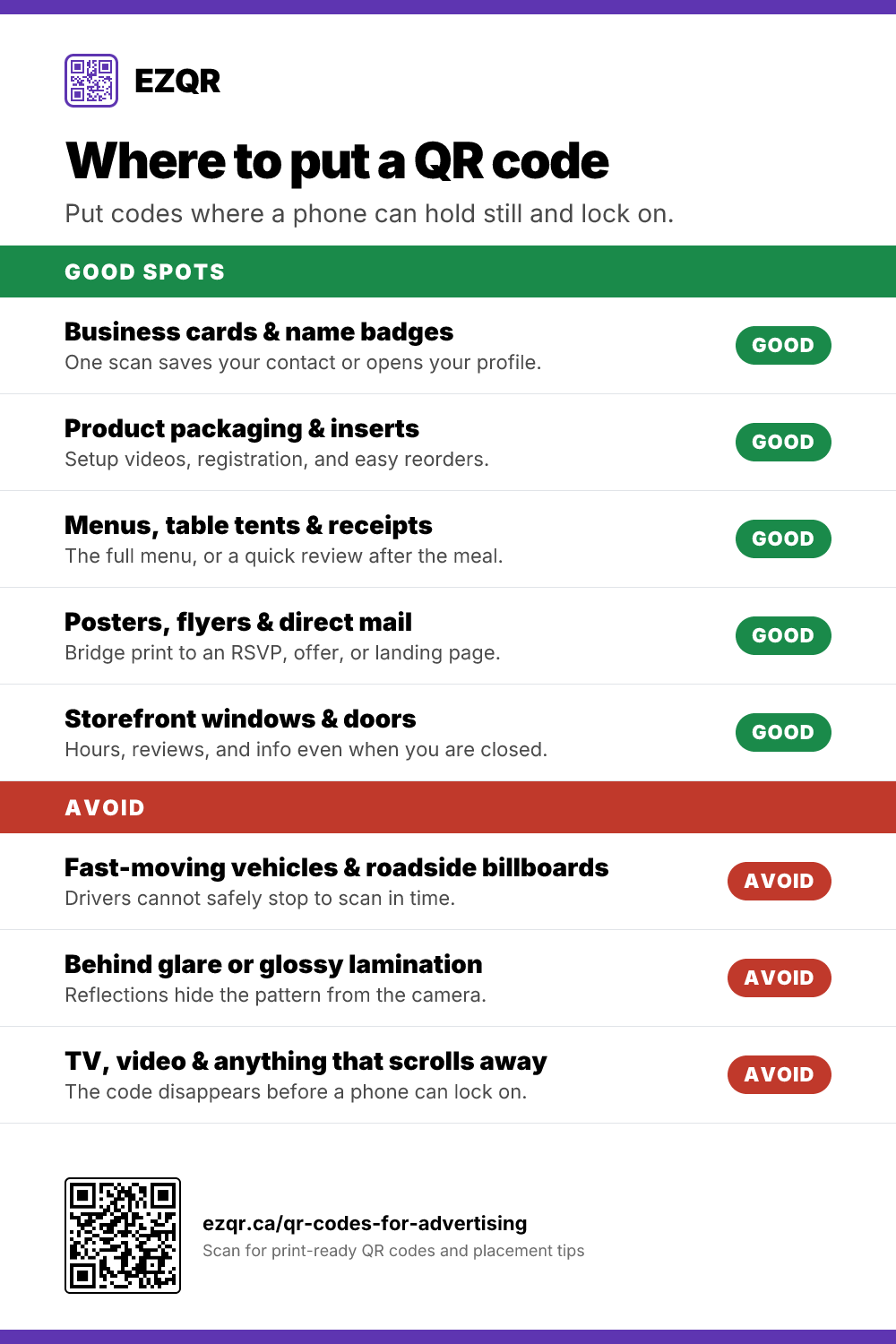
Where to Put a QR Code
The best surfaces for a QR code - and three places it will never get scanned. A quick placement reference.
-
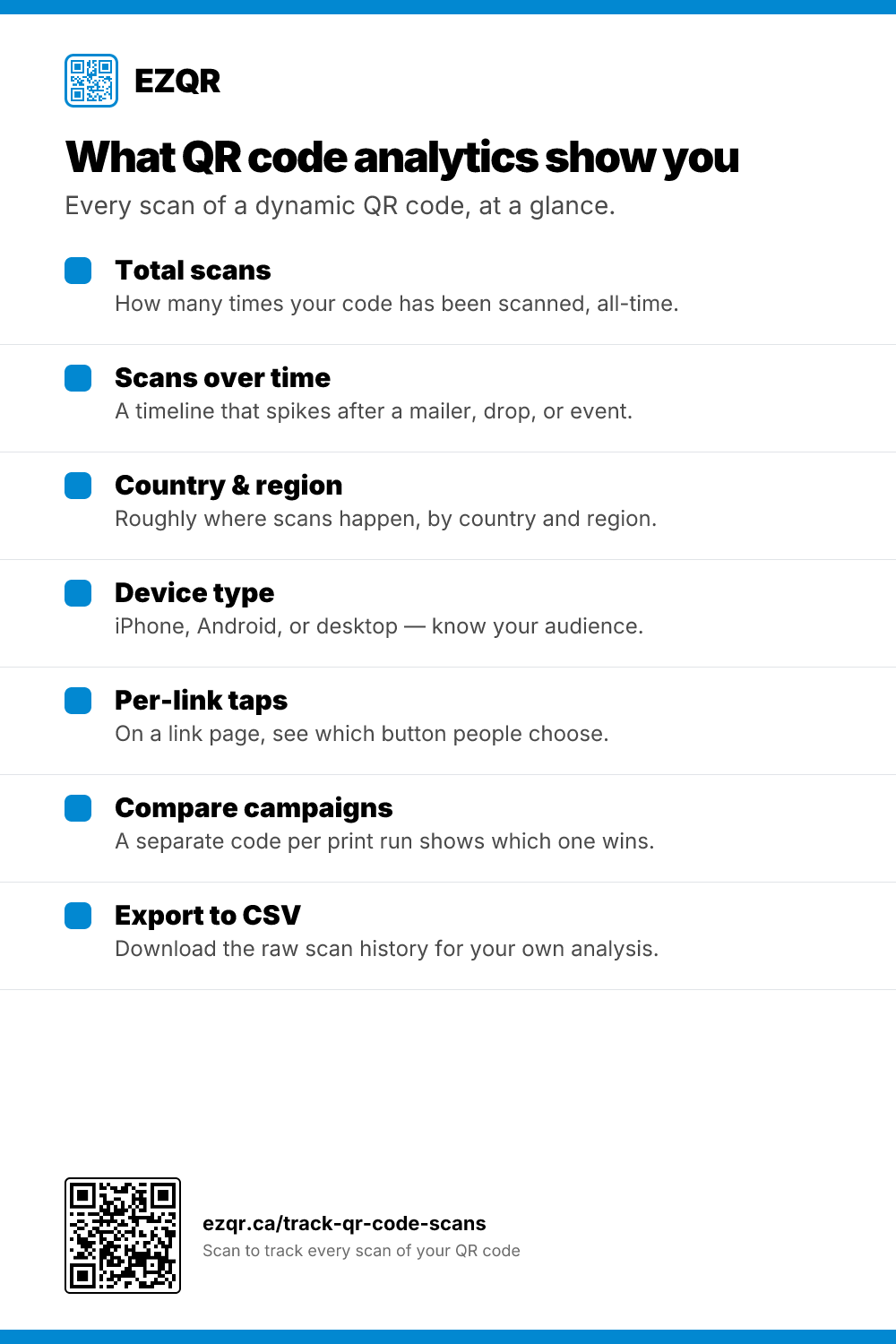
What QR Code Analytics Show You
Every kind of scan data a dynamic QR code records - count, timeline, location, device, per-link taps, and CSV export.
-
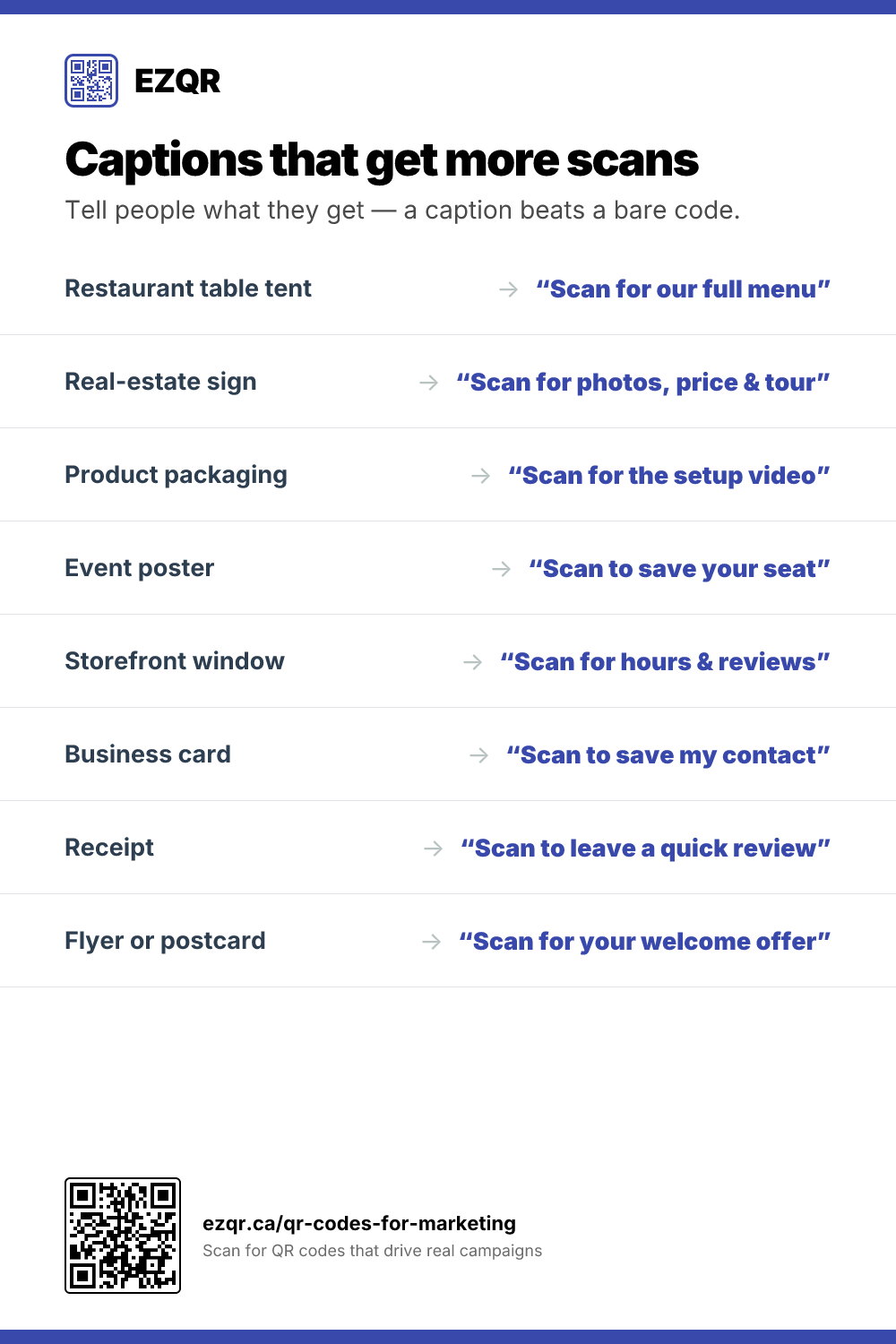
Captions That Get More Scans
A “Scan for…” caption tells people what they get and lifts scans. Eight ready-to-use examples by placement.