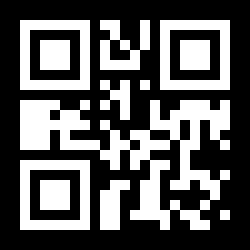
To remove a logo from a QR code, upload the code above. EZQR reads the link inside it and rebuilds the same code without the logo in the middle - same link, same error correction, same grid size - so you can download a plain QR code as PNG, SVG, or JPG.
A QR Code Without the Logo in the Middle
A logo isn't part of a QR code's link - it's drawn on top, and the code still scans because QR codes carry error correction that fills in what the logo covers. That means the logo can come off without changing where the code goes. The tool reads the code, ignores the logo, and gives you a fresh QR code without the logo that holds exactly the same thing.
Some logos people most often want gone:
- Chrome's dinosaur - added to every code from Chrome's built-in generator. See how to remove the dinosaur from a QR code.
- The Bing logo - added by Microsoft Edge and Bing's QR code generator. See how to remove the Bing logo from a QR code.
- An old brand or event logo - a rebrand, a past sponsor, or a code made for someone else that you now want to use plainly.
How to Remove a Logo From a QR Code
- Upload the QR code. A downloaded PNG works best; a screenshot or a photo of a printed code works too.
- EZQR reads the link. The tool decodes the code and shows you exactly where it points, so you can check it's right before you print.
- Download the clean code. You get the same QR code without the logo. Download it as PNG, as SVG for print, or as JPG.
Make a QR Code Black and White, With No Frame
The clean copy isn't only logo-free. It comes back as a standard black-and-white QR code with square modules on a white background, so the same upload also handles:
- Make a QR code black and white - from a coloured or gradient code.
- Remove the frame or the "Scan me" text around a QR code.
- Turn a dotted or rounded QR code back into squares.
- Remove an emoji or icon from the middle of a QR code.
For a transparent background instead of white, choose Customize this QR code after it reads - the link carries over and the custom QR code generator has a transparent background option.
Replace the Logo With Your Own
Want a logo in the middle - just yours, not theirs? Upload the code, then choose Customize this QR code. The link carries over to the custom generator, where you can add your own logo to the QR code, pick your colours, or change the shape. That's how to add your logo to an existing QR code without changing where it goes - and it's still a free static code.