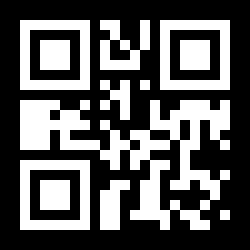
To remove the dinosaur from a QR code, upload the Chrome QR code above. EZQR reads the link inside it and rebuilds the same code without the dinosaur - same link, same error correction, same grid size - so you can download a plain version as PNG, SVG, or JPG.
Why Is There a Dinosaur in My QR Code?
Because Chrome made it. Google Chrome can create a QR code for any page you have open - right-click the page and choose Create QR code for this page, or use the share menu - and every code it makes has Chrome's offline T-Rex drawn in the centre. It's the same dinosaur you see on the no-internet page.
The dinosaur is decoration, not part of the link, and Chrome has no option to leave it out. That's fine for showing a code to someone across a desk, but not what you want on a flyer, a menu, or a business card.
How to Get a Chrome QR Code Without the Dinosaur
- Upload the Chrome QR code. Use the PNG Chrome downloaded, paste a screenshot, or drop in a photo of the code.
- EZQR reads the link. The tool decodes the code and shows you exactly where it points, so you can check it's the right page.
- Download the clean code. You get the same QR code without the dinosaur. Download it as PNG, as SVG for print, or as JPG.
Don't have the Chrome code any more? Just paste the page's link into the free QR code generator - it makes plain codes with no dinosaur from the start.
Same Code, Minus the Dinosaur
The new code isn't a lookalike. It holds the same link as the Chrome code and is rebuilt at the same error-correction level and the same grid size, so it scans to exactly the same place. Codes you already printed with the dinosaur keep working - you only need the new one for what you print next.
It also scans more reliably. QR codes have built-in error correction, which is why a phone can read past the dinosaur at all - but the dinosaur uses up part of that safety margin. A plain code keeps all of it for scuffs, glare, and small prints.
Want something other than plain black and white? Use Customize this QR code after it reads to add your own logo, colours, or shape instead of Chrome's dinosaur.