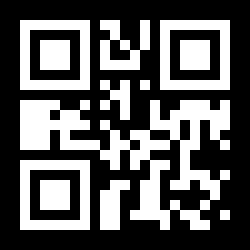
How to Make a WhatsApp QR Code for Your Number
To get a WhatsApp QR code for your number, type
https://wa.me/ followed by your country code and number (no plus sign,
spaces, or dashes), paste it into the generator above, and download the code.
Whoever scans it lands in a WhatsApp chat with you, without adding you as a contact.
- Build your link.
Start with
https://wa.me/, then your full number in international format. Canada and the US use country code 1, so (604) 555-1234 becomeshttps://wa.me/16045551234. - Add a message (optional).
Put
?text=and your message on the end, with%20for each space:https://wa.me/16045551234?text=Hi%20I%20saw%20your%20sign. The chat opens with that message ready to send. - Paste it into the generator. The code switches to WhatsApp green with the WhatsApp logo. Keep it, or use your own colours and logo instead.
- Scan it yourself before printing. Check that the chat opens with the right number on an iPhone and an Android phone.
QR Code for a WhatsApp Group
Group admins can turn the group's invite link into a code. Open the group, tap its
name, choose Invite via link, and copy the chat.whatsapp.com link.
Paste that into the generator. It works for community groups, sports teams, class
parents, building residents, and customer groups alike.
Anyone who scans the code can ask to join, so keep group codes off public posters if the group is private. If you ever reset the invite link, a static code stops working; a dynamic code can be pointed at the new link instead.
WhatsApp QR Codes for Business
A WhatsApp QR code turns a printed sign into a conversation. Customers can ask a question, book, or order without calling during business hours.
Storefronts & Counters
"Message us on WhatsApp" on the window or till. Good for questions after closing time.
Takeout & Delivery Orders
On menus, flyers, and bags, with a prefilled "I'd like to order" message. More for restaurants.
Real Estate Signs
Buyers can message about a listing straight from the yard sign. See QR codes for realtors.
Business Cards
Next to (or instead of) your phone number, for clients who would rather text than call.
Service Vans & Quotes
"Send us a photo of the job" with a prefilled message. Trades get the details before they call back.
Events & Communities
A group invite on the registration table so attendees stay in touch afterwards.
The WhatsApp Business app can show a code of its own. Use EZQR when you want your logo and colours on it, an SVG for print, a frame with your own caption, or a code you can change later.
Static or Dynamic WhatsApp QR Code?
A static WhatsApp QR code is free forever and never expires. If your number and message won't change, it's all you need.
An editable dynamic QR code (requires a plan) is worth it if a shared business number might change, if staff take turns on the WhatsApp line, or if you reset group links. You can also see how many people scanned each sign. Want WhatsApp alongside your other channels? A QR code with multiple links puts them all on one page.