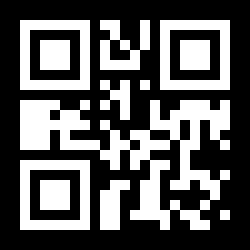
What is a circle QR code?
A circle QR code - also called a round QR code or circular QR code - is a working QR code whose outline is a circle instead of the usual square. The scannable pattern sits in the middle and QR-style modules fill out the rest of the circle, so a phone reads it exactly like any other code while a person sees a clean round shape. It is a genuine code, not an image of one.
How to make a circle QR code
- Paste your link. Type or paste the URL the circle should open - your website, a menu, a review page, a product page. The preview updates as you type.
- Pick your colour. Choose a solid colour or a two-colour gradient, and optionally add a background colour behind the circle. Keep the modules clearly darker than the background.
- Download it. Export the circle QR code as PNG, JPG, or SVG. Static codes are free forever, with no watermark and no expiry. Use the SVG for stickers and print layouts.
- Test before you print. Scan the downloaded code with an iPhone and an Android, at the size you plan to print it, before committing to a print run.
That is the whole flow, whether you came looking for a circle QR code maker, a round QR code generator, a circular QR code generator, or a QR code generator with a circle shape - it is the same tool at the top of this page.
Where a round QR code fits better than a square
- Stickers and labels - round stickers are the cheapest to print, and a circle code uses the whole sticker instead of leaving empty corners.
- Badges and buttons - conference badges, pin-back buttons, and lanyard tags.
- Coasters and table tents - a round code on a round coaster for a menu, a review page, or Wi-Fi details.
- Bottle caps, jar lids, and round product tags - packaging where a square would look stuck on.
- Inside a circular logo or stamp - a round code sits naturally in a seal, roundel, or circular brand mark.
Keeping a circular QR code scannable
The circle is the safest silhouette there is - no points, no thin edges - so it holds up well in print. A few rules still matter:
- Size. Print it at roughly 2 cm (0.8 in) across or larger. Scale up if people will scan from further away - a rough rule is scan distance divided by ten.
- Contrast. Keep the modules clearly darker than the background. Navy, black, deep green, and burgundy on white all scan reliably.
- Leave a little space. Use the shape margin if the circle sits right at the edge of a round sticker, so the cut doesn't clip the outer modules.
- Test on both platforms. Scan with an iPhone and an Android at the final print size before ordering a run.
Want a different silhouette? The custom shape QR code generator also does stars, houses, triangles, hexagons, and maple leaves - or try the heart QR code generator. You can check any finished code with the QR code tester before it goes to print.
Frequently Asked Questions
Can you make a round QR code?
Yes. A round QR code (also called a circle or circular QR code) keeps a real square code in the middle and fills the rest of the circle with QR-style modules, so the whole thing reads as a circle and still scans. Use the generator on this page - the Circle shape is already selected - paste your link, set your colour, and download PNG, JPG, or SVG.
Is the circle QR code generator free?
Yes. Circle QR codes are static, so they are free forever - no watermark, no scan limit, no expiry, and no account needed. If you also want to change the destination after printing or see scan analytics, that is a dynamic QR code and requires a plan.
Will a circular QR code actually scan?
Yes. The circle is one of the most reliable silhouettes because it has no thin points or spikes, and a genuine high-error-correction QR code sits at its centre. Print it at about 2 cm (0.8 in) across or larger, keep the modules dark on a light background, and scan-test it with an iPhone and an Android before a print run.
Can a QR code be a circle?
The QR standard itself is a square grid, so the working part of every QR code is square. What a circle QR code does is place that square at the centre and fill the rest of the circle with decorative modules in the same style. A phone reads the square inside and ignores the rest, while a person sees a circle.
Can I put my logo in a circle QR code?
Yes. Upload your image under Logo and it sits in the middle of the circle. Shape codes always use high error correction, which leaves room for a logo - keep it modest in size, turn on "Hide dots behind logo" for a clean edge, and scan-test before you print.
What is the round code Apple uses - is that a QR code?
No. The round codes on Apple products and in shops are App Clip Codes, a separate Apple format that opens an App Clip and can only be created through Apple's own developer tools. A round QR code from this page is a standard QR code in a circular outline, so any phone camera can scan it and it can open any link.
Where are circle QR codes used?
Anywhere the print area is round: stickers and labels, badges and buttons, coasters, bottle caps and jar lids, round product tags, and inside circular logos or stamps. A square code on a round sticker wastes the corners; a circle QR code fills the space.
Can I change where a circle QR code points after printing?
A static circle code is fixed once you download it. If you need to edit the destination after it is printed - or see how many people scanned it - make it a dynamic QR code instead: the same circle design, but the destination stays editable and every scan is counted. Dynamic codes are a paid plan.